How to make a video game in 2026 (complete beginner's guide)
The game development landscape has changed completely. Here's an honest, up-to-date guide to making your first game — no coding experience required.
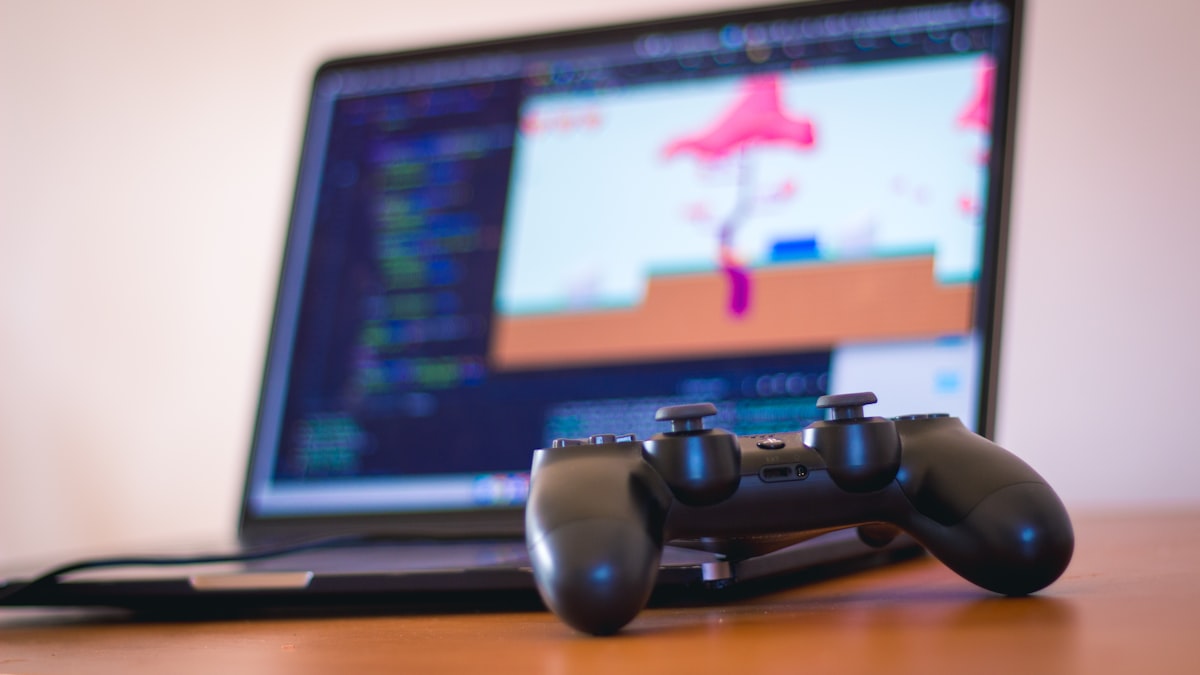
Two years ago, making a video game meant one of two things: learn to code, or pay someone who already knew how.
That's no longer true. The game development landscape in 2026 looks nothing like it did in 2024. AI tools have matured from novelty demos into legitimate creation platforms. No-code engines have gotten more powerful. And the traditional engines — Unity, Unreal, Godot — are still here, still excellent, and now augmented with AI assistants of their own.
If you've ever wanted to make a game, this is the best time in history to start. But "best time" doesn't mean "easy." Making a game still requires effort, taste, and persistence. It's just that the barriers to starting have almost completely disappeared.
This guide will walk you through the entire process — from idea to published game — and help you pick the right path based on who you are and what you want to build.

The three paths to making a game in 2026
Before you do anything else, you need to understand the landscape. There are now three distinct approaches to game development, and they each have real tradeoffs.
Path 1: Traditional engines (Unity, Unreal, Godot)
This is the tried-and-true approach. You download an engine, learn its interface, write code (or visual scripts), and build your game piece by piece. Unity uses C#, Unreal uses C++ and Blueprints, Godot uses GDScript.
Best for: People who want deep control over every aspect of their game, aspiring professional game developers, anyone building something large or technically complex.
The honest truth: The learning curve is steep. Expect weeks to months before you're comfortable, and your first game will take much longer than you think. But you'll understand every piece of what you've built, and there's no ceiling on what you can create.
Path 2: No-code tools (GDevelop, Construct, GameMaker)
These tools let you build games using visual logic — drag-and-drop event systems, behavior blocks, and pre-built components. You can make real, publishable games without writing a single line of code.
Best for: People who want to focus on design rather than engineering, educators, hobbyists who want results faster than the traditional path allows.
The honest truth: You'll hit limitations. Complex mechanics, custom physics, and unusual game ideas often push against the boundaries of what visual editors can express. But for 2D games, platformers, puzzle games, and many other genres, these tools are more than enough.
Path 3: AI-powered game creation (vibe coding, AI game makers)
This is the new path — and it's evolving fast. AI tools let you describe what you want and generate working game code from natural language. Some are glorified code generators. Others, like purpose-built AI game platforms, go much deeper — handling not just code but design, polish, and game feel.
Best for: Complete beginners who want to see results quickly, creators with strong ideas but no technical background, anyone who wants to prototype fast and iterate by describing changes in plain language.
The honest truth: The quality gap between AI tools is enormous. Some produce impressive-looking demos that fall apart the moment you try to play them seriously. Others generate games with genuine craft. You need to evaluate tools carefully, not just by what they can generate in 30 seconds, but by how the result actually feels to play.
Which path is right for you?
Here's a simple framework. Ask yourself three questions:
What's your goal? If you want a career in game development, learn a traditional engine. The skills transfer everywhere. If you want to make games as a creative outlet or side project, no-code or AI tools will get you there faster. If you have a specific game idea burning a hole in your brain and you want to see it exist now, AI-powered tools are the fastest path from concept to playable prototype.
How much time do you have? Traditional engines demand hundreds of hours of learning before you produce anything you'd want to show someone. No-code tools cut that to tens of hours. AI-powered tools can get you to a playable prototype in an afternoon — though turning that prototype into a polished game still takes real time and iteration.
How technical are you? Be honest. If the thought of debugging code energizes you, go traditional. If it makes you anxious, there's no shame in choosing a path that lets you focus on the creative work instead.
There's no wrong answer. Every path can produce a real game. The worst choice is spending six months researching tools instead of actually making something.
Step 1: Start with the idea (and keep it small)
This is where most beginners fail before they've even started. They imagine their dream game — a massive open world RPG with branching storylines, multiplayer, and procedurally generated dungeons — and then feel paralyzed because they can't build that.
Your first game should be tiny. Not small. Tiny.
Here's the scope you should be thinking about:
- A single core mechanic (jumping, shooting, matching, dodging)
- One type of enemy or obstacle
- 3-5 levels, or one endless level
- A start screen and a game-over screen
- A score or simple win condition
That's it. That's the whole game. If this sounds underwhelming, consider that some of the most beloved games in history — Flappy Bird, Wordle, the original Super Mario Bros. — are built around a single mechanic executed extremely well.
Genre matters for your first game. Some genres are dramatically easier to build than others. A 2D platformer, an endless runner, a simple puzzle game, or a top-down shooter — these are proven beginner genres because the core mechanics are well-understood and there are countless references to learn from. An open-world survival game or a narrative RPG as your first project is a recipe for an abandoned project folder.
Write your idea down in one sentence. If you can't describe your game in one sentence, it's too complex for a first project.

Step 2: Choose your tool
You've picked your path. Now pick your specific tool. Here's a brief rundown of the most relevant options in 2026:
Traditional engines: Godot is free, open source, and has the friendliest learning curve of the big three. Unity is the industry workhorse with the largest ecosystem of tutorials and assets. Unreal is overkill for a first game, but if you're drawn to 3D, it's unmatched.
No-code tools: GDevelop is free and excellent for 2D games. Construct is polished and browser-based. GameMaker sits between no-code and traditional — it has a visual editor but also its own scripting language if you want to go deeper.
AI-powered tools: This space changes monthly. Look for tools that don't just generate code, but understand game design — things like responsive controls, visual feedback, and the kind of polish that makes a game feel good to play rather than just functional. Test the output. Play what the tool generates. If it feels lifeless after 10 seconds, the tool isn't ready.
Don't spend more than a day on this decision. Pick something, start building, and switch later if you need to. The skills that matter most — game design thinking, scoping, iteration — transfer across every tool.
Step 3: Build your prototype
Your first goal is not a finished game. It's a playable prototype of your core mechanic.
If your game is a platformer, the prototype is: a character that moves and jumps across a few platforms. No enemies, no score, no menus, no art. Just the movement.
If your game is a puzzle game, the prototype is: one puzzle that can be solved. No levels, no progression, no tutorial. Just the core interaction.
Why core mechanic first? Because if the fundamental action of your game isn't fun, nothing you add on top will save it. A beautiful game with boring mechanics is still boring. An ugly game with a satisfying core loop can become great with polish.
Build the mechanic. Play it. Ask yourself: is the basic action enjoyable? Not "will it be enjoyable once I add everything else" — is it enjoyable right now, in its simplest form?
If yes, you have something worth building on. If no, tweak the mechanic or try a different idea. This is the cheapest moment to change direction. Don't fall in love with an idea that doesn't feel good in practice.

Step 4: Add polish (this matters more than features)
Here's a counterintuitive truth about game development: polish is more important than features.
Beginners instinctively want to add more stuff — more enemies, more levels, more power-ups, more mechanics. Resist this urge. Instead, take what you have and make it feel amazing.
Polish means:
- Visual feedback. When the player does something, the game reacts visibly. Screen shake on impact. Particles when you jump or land. A flash when you take damage. Animations that communicate weight and momentum.
- Audio feedback. Every action should have a sound. Jumping, landing, collecting, hitting, dying. Sound is responsible for more of your game's "feel" than most beginners realize.
- Responsive controls. The gap between pressing a button and seeing a response should be imperceptible. Input buffering — remembering a button press that came a few frames early — is the difference between "responsive" and "frustrating."
- Camera work. A camera that smoothly follows the player, anticipates movement, and subtly reacts to action makes everything feel more dynamic.
A game with one mechanic and incredible polish will always be more fun than a game with ten mechanics and no polish. Always.
Step 5: Test with real people
You've been staring at your game for hours (or days, or weeks). You've lost all objectivity. Things that are confusing feel obvious to you. Things that are too hard feel easy. Things that are broken feel normal.
You need other people to play your game.
This doesn't require a formal process. Hand your phone or laptop to a friend. Watch them play. Don't explain anything — just watch. Where do they get stuck? Where do they look confused? Where do they smile?
The most valuable feedback comes from watching, not asking. People will tell you "it's cool" to be polite. But their behavior doesn't lie. If they quit after 30 seconds, the opening isn't working. If they can't figure out the controls, your onboarding needs work. If they play for ten minutes without looking up, you've got something.
Three to five playtesters is enough for a first game. You're not doing market research — you're catching the obvious problems that you can't see anymore.
Step 6: Publish it (yes, actually ship it)
This is where most first-time game developers stall. The game is "almost done" — it just needs a few more features, a bit more polish, one more level. Weeks pass. Months pass. The game never ships.
Ship it.
Your first game doesn't need to be perfect. It needs to be finished. The act of completing and publishing a game teaches you more than any tutorial, course, or YouTube video ever will.
Where to publish depends on your platform:
- Web games: Itch.io is the go-to platform. It's free, has a supportive community, and the upload process takes minutes.
- Mobile: Both the App Store and Google Play have indie-friendly publishing processes, though they involve some setup and (on Apple's side) a developer fee.
- Desktop: Steam has a larger audience but a $100 submission fee. Itch.io works for desktop games too.
For your first game, Itch.io is almost certainly the right choice. Low friction, no cost, instant feedback from a community that genuinely appreciates small indie games.
Common mistakes beginners make
After watching thousands of people try to make their first game, the same mistakes come up over and over:
Scope creep. Your game grows a little every day. "Just one more feature" is the most dangerous phrase in game development. Define your scope early and defend it ruthlessly.
Perfectionism before the prototype works. Don't make pixel-perfect art for a mechanic you haven't tested yet. Placeholder graphics exist for a reason. Ugly and playable beats beautiful and hypothetical every time.
Choosing a tool based on what professionals use. Unreal Engine can produce photorealistic 3D worlds. It can also consume six months of your life before you have anything playable. Match your tool to your experience level and your project's actual needs.
Working alone in silence. Share your progress. Post screenshots. Join a community — Reddit's r/gamedev, game dev Discord servers, or local meetup groups. The encouragement and feedback from other creators is fuel you didn't know you needed.
Never finishing. This is the biggest one. A finished game — even a tiny, imperfect one — teaches you ten times more than an ambitious unfinished project. Your first game is not your masterpiece. It's your education.
The most important advice: start small, finish something
Everything in this guide is secondary to one principle: make something small and finish it.
Not "start something ambitious and learn along the way." Not "plan your dream game and work toward it over years." Make something small. Finish it. Ship it. Then make something slightly less small.
Every professional game developer you admire has a graveyard of tiny, embarrassing first projects. That's not a failure — that's the process. You can't skip the early games. You can only delay them.
The tools available in 2026 have made the starting line more accessible than it's ever been. Whether you choose a traditional engine, a no-code tool, or an AI-powered platform like Exekite that handles the technical complexity so you can focus on your creative vision — the path from "I have an idea" to "I have a playable game" has never been shorter.
But the path still requires you to walk it. So close this tab, open your tool of choice, and start building. Your first game is waiting.